Produces a numerical and graphical summary of a count response variable, with the plot automatically adapting to the number and type of predictors in the formula.
Arguments
- formula
A formula of the form
y ~ x1 + x2 + ...whereyis a non-negative integer count response. Offsets viaoffset()are supported.- data
A data frame containing the variables in
formula.
Value
A named list with three elements:
- summary
A one-row
data.framecontaining:mean,var,var_mean_ratio,n_zero, andn_total.- counts
A
data.framewith columnscountandfreqgiving the frequency of each observed count value.- plot
A
ggplotobject. The plot type depends on the number and type of predictors — see Details.
Details
The graphical summary is chosen based on the predictors in formula:
- No predictors
Histogram of the count response.
- One continuous predictor
Scatter plot with a loess smooth.
- One categorical predictor
Violin plot with jittered points.
- Two continuous predictors
2D bin plot (
geom_bin2d) with a viridis fill scale.- Two categorical predictors
Tile heatmap of mean counts.
- One continuous, one categorical predictor
Scatter plot with loess smooths coloured by the categorical variable.
- Three or more predictors
A warning is issued and only the first two predictors are used.
The var_mean_ratio in the summary table is the variance-to-mean
ratio. A value close to 1 is consistent with a Poisson distribution;
values substantially greater than 1 suggest overdispersion.
Examples
set.seed(1)
df <- data.frame(
y = rpois(100, lambda = 3),
x1 = rnorm(100),
x2 = sample(c("A", "B"), 100, replace = TRUE)
)
# No predictors
summarizeCountData(y ~ 1, data = df)
#> $summary
#> mean var var_mean_ratio n_zero n_total
#> 1 3.05 2.14899 0.7045869 2 100
#>
#> $counts
#> count freq
#> 1 0 2
#> 2 1 11
#> 3 2 28
#> 4 3 20
#> 5 4 23
#> 6 5 12
#> 7 6 3
#> 8 8 1
#>
#> $plot
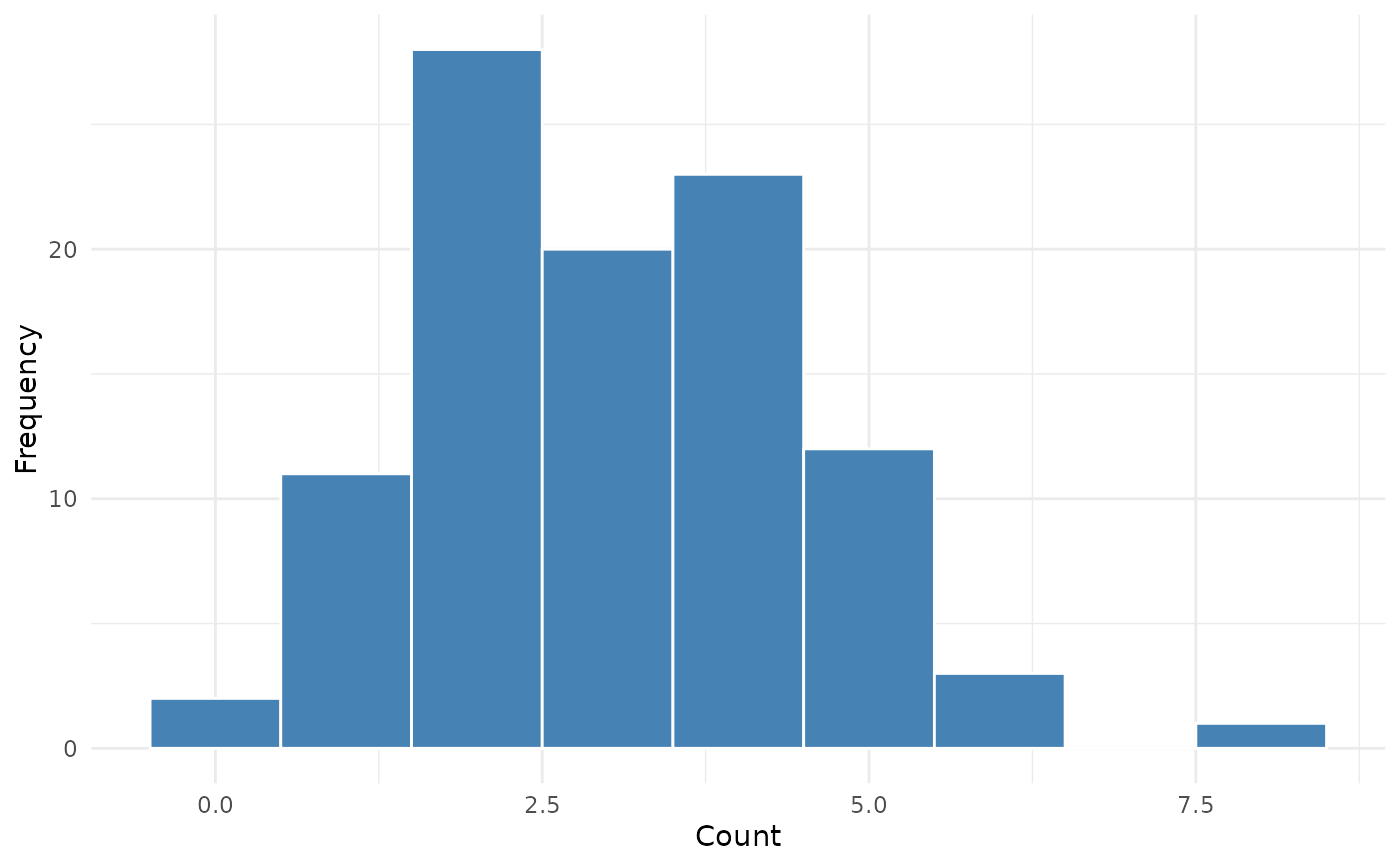 #>
# One continuous predictor
summarizeCountData(y ~ x1, data = df)
#> $summary
#> mean var var_mean_ratio n_zero n_total
#> 1 3.05 2.14899 0.7045869 2 100
#>
#> $counts
#> count freq
#> 1 0 2
#> 2 1 11
#> 3 2 28
#> 4 3 20
#> 5 4 23
#> 6 5 12
#> 7 6 3
#> 8 8 1
#>
#> $plot
#> `geom_smooth()` using formula = 'y ~ x'
#>
# One continuous predictor
summarizeCountData(y ~ x1, data = df)
#> $summary
#> mean var var_mean_ratio n_zero n_total
#> 1 3.05 2.14899 0.7045869 2 100
#>
#> $counts
#> count freq
#> 1 0 2
#> 2 1 11
#> 3 2 28
#> 4 3 20
#> 5 4 23
#> 6 5 12
#> 7 6 3
#> 8 8 1
#>
#> $plot
#> `geom_smooth()` using formula = 'y ~ x'
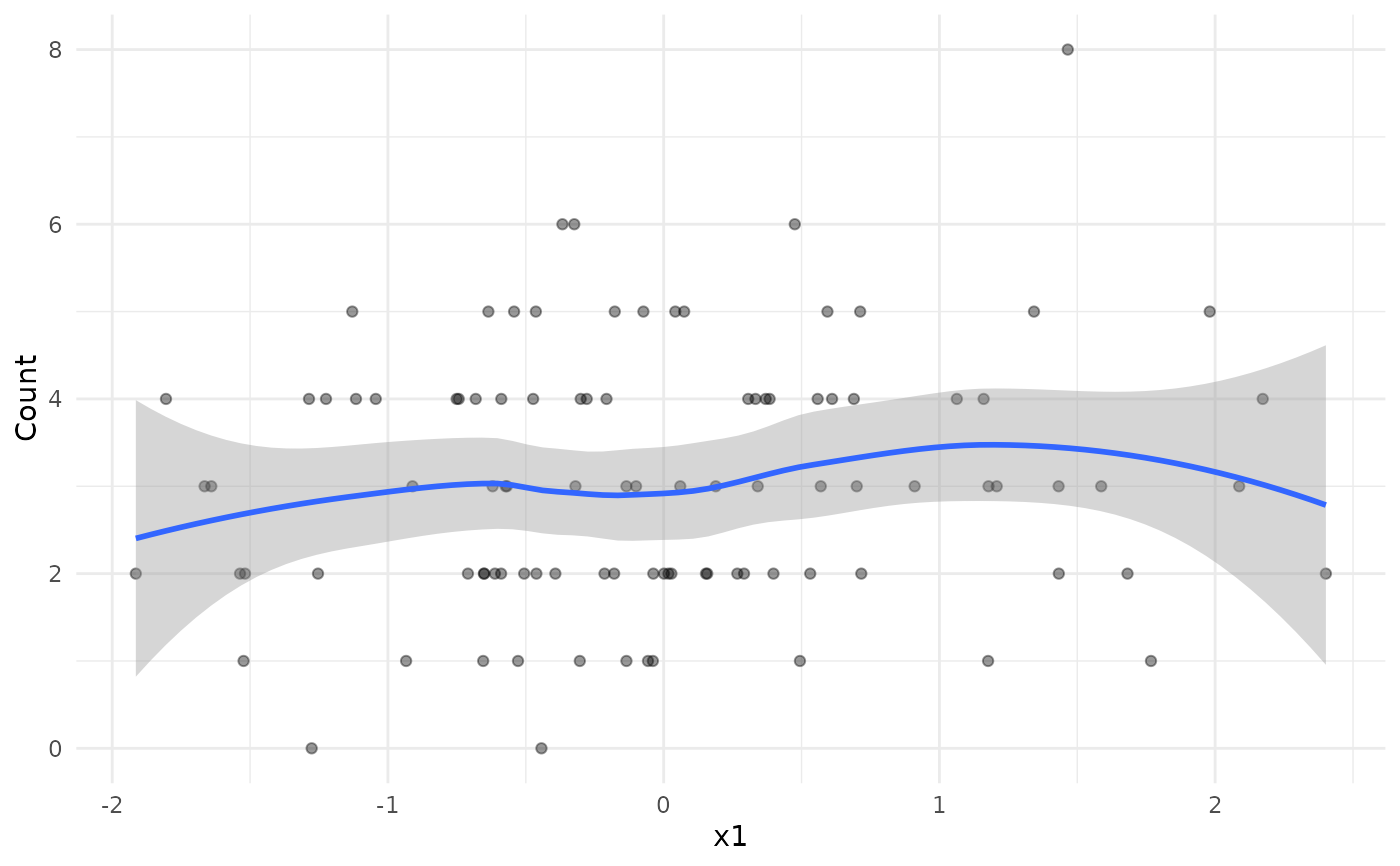 #>
# One categorical predictor
summarizeCountData(y ~ x2, data = df)
#> $summary
#> mean var var_mean_ratio n_zero n_total
#> 1 3.05 2.14899 0.7045869 2 100
#>
#> $counts
#> count freq
#> 1 0 2
#> 2 1 11
#> 3 2 28
#> 4 3 20
#> 5 4 23
#> 6 5 12
#> 7 6 3
#> 8 8 1
#>
#> $plot
#>
# One categorical predictor
summarizeCountData(y ~ x2, data = df)
#> $summary
#> mean var var_mean_ratio n_zero n_total
#> 1 3.05 2.14899 0.7045869 2 100
#>
#> $counts
#> count freq
#> 1 0 2
#> 2 1 11
#> 3 2 28
#> 4 3 20
#> 5 4 23
#> 6 5 12
#> 7 6 3
#> 8 8 1
#>
#> $plot
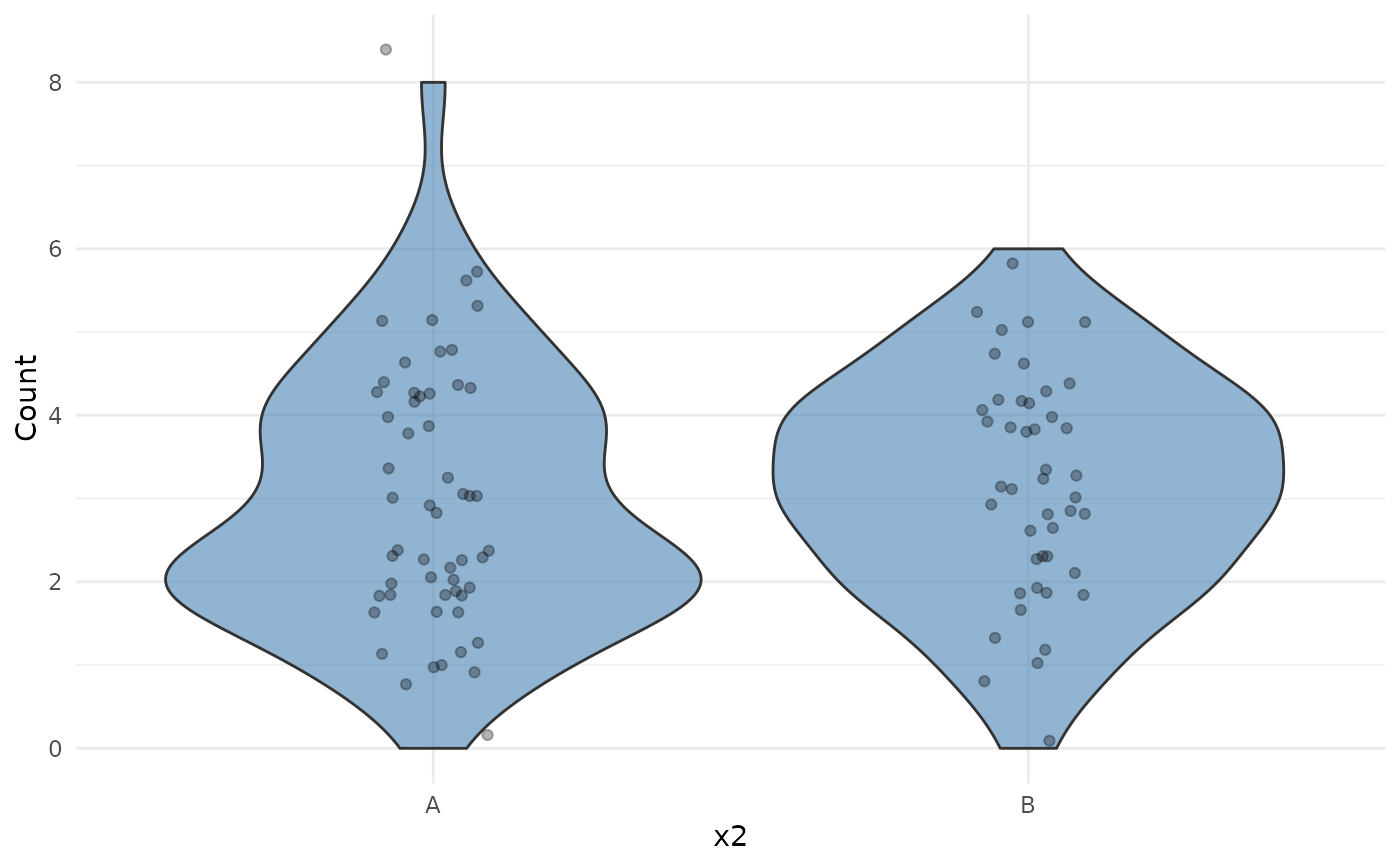 #>
# Mixed predictors
summarizeCountData(y ~ x1 + x2, data = df)
#> $summary
#> mean var var_mean_ratio n_zero n_total
#> 1 3.05 2.14899 0.7045869 2 100
#>
#> $counts
#> count freq
#> 1 0 2
#> 2 1 11
#> 3 2 28
#> 4 3 20
#> 5 4 23
#> 6 5 12
#> 7 6 3
#> 8 8 1
#>
#> $plot
#> `geom_smooth()` using formula = 'y ~ x'
#>
# Mixed predictors
summarizeCountData(y ~ x1 + x2, data = df)
#> $summary
#> mean var var_mean_ratio n_zero n_total
#> 1 3.05 2.14899 0.7045869 2 100
#>
#> $counts
#> count freq
#> 1 0 2
#> 2 1 11
#> 3 2 28
#> 4 3 20
#> 5 4 23
#> 6 5 12
#> 7 6 3
#> 8 8 1
#>
#> $plot
#> `geom_smooth()` using formula = 'y ~ x'
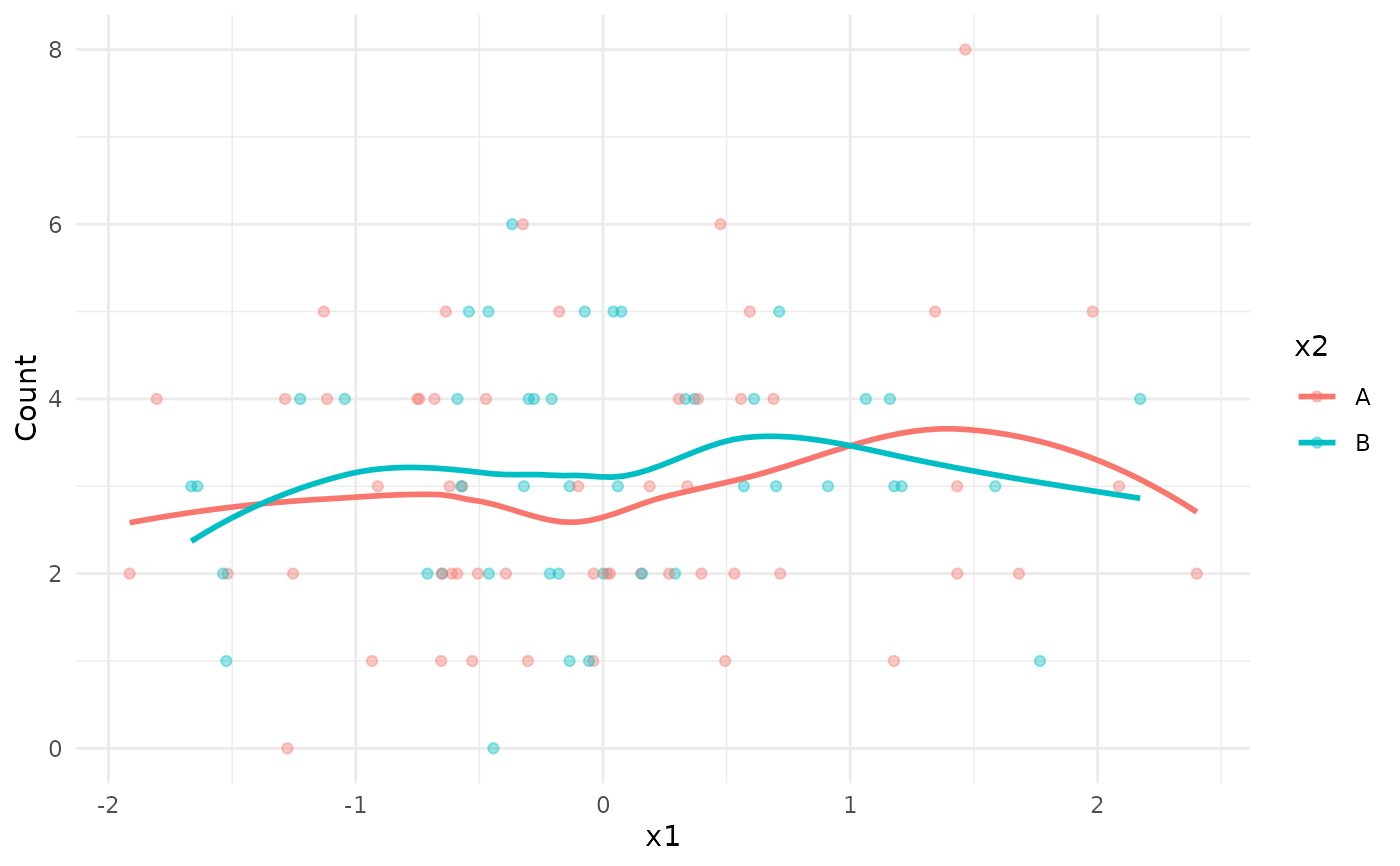 #>
#>